
Modules
Scheduler
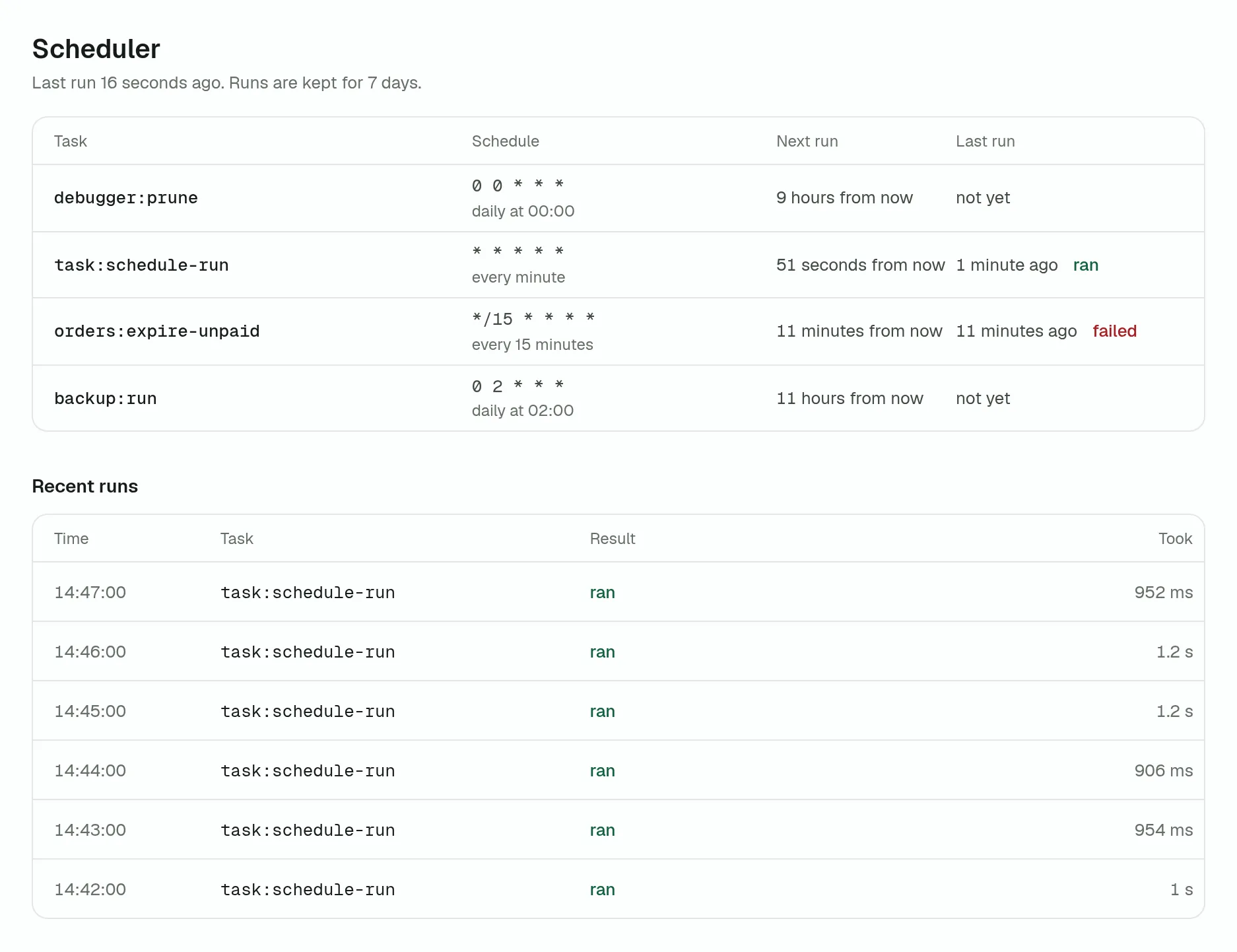
The Scheduler page shows the tasks in routes/console.php, when they run next, and a history of every run, including the ones that failed or were skipped.
What it shows
- One row per task: name or command, the cron expression with a description like "every 5 minutes", the next run, and the last run with its status.
- Recent runs: time, task, status, and duration. 50 per page.
- A notice when
schedule:runhas never run, with the cron line to add on the server. - A red notice when
schedule:runhasn't run for longer thanscheduler.late_after_minutes.
Run statuses:
ran: finished with exit code 0.failed: an exit code other than 0, or an exception.skipped: skipped, for example because ofwithoutOverlapping()while the previous run is still going.running: still going, includingrunInBackground()tasks until they finish.
How it works
The debugger listens to Laravel's own scheduler events and writes every run to the debugger_schedule_runs table. Each time schedule:run starts, it also saves the task list. Web requests don't load the schedule, so the task list shows up after the next schedule:run.
Related config
scheduler.retention_days: how many days of history to keep. The default is7.scheduler.late_after_minutes: the default is3.scheduler.prune: schedulesdebugger:pruneevery day. The default istrue.
You can also run the cleanup yourself:
php artisan debugger:pruneRead-only mode
This page only reads. There is no action to run a task from the browser.
Limits
- The task list is kept in the app's cache. If the cache is cleared, the task list is empty until the next
schedule:run. The run history stays, since it is stored in the database. - Runs from before the package was installed are not recorded.