
Modules
The Mail page sends a test email with your app's mailer, so you know the settings are right before a real email fails.
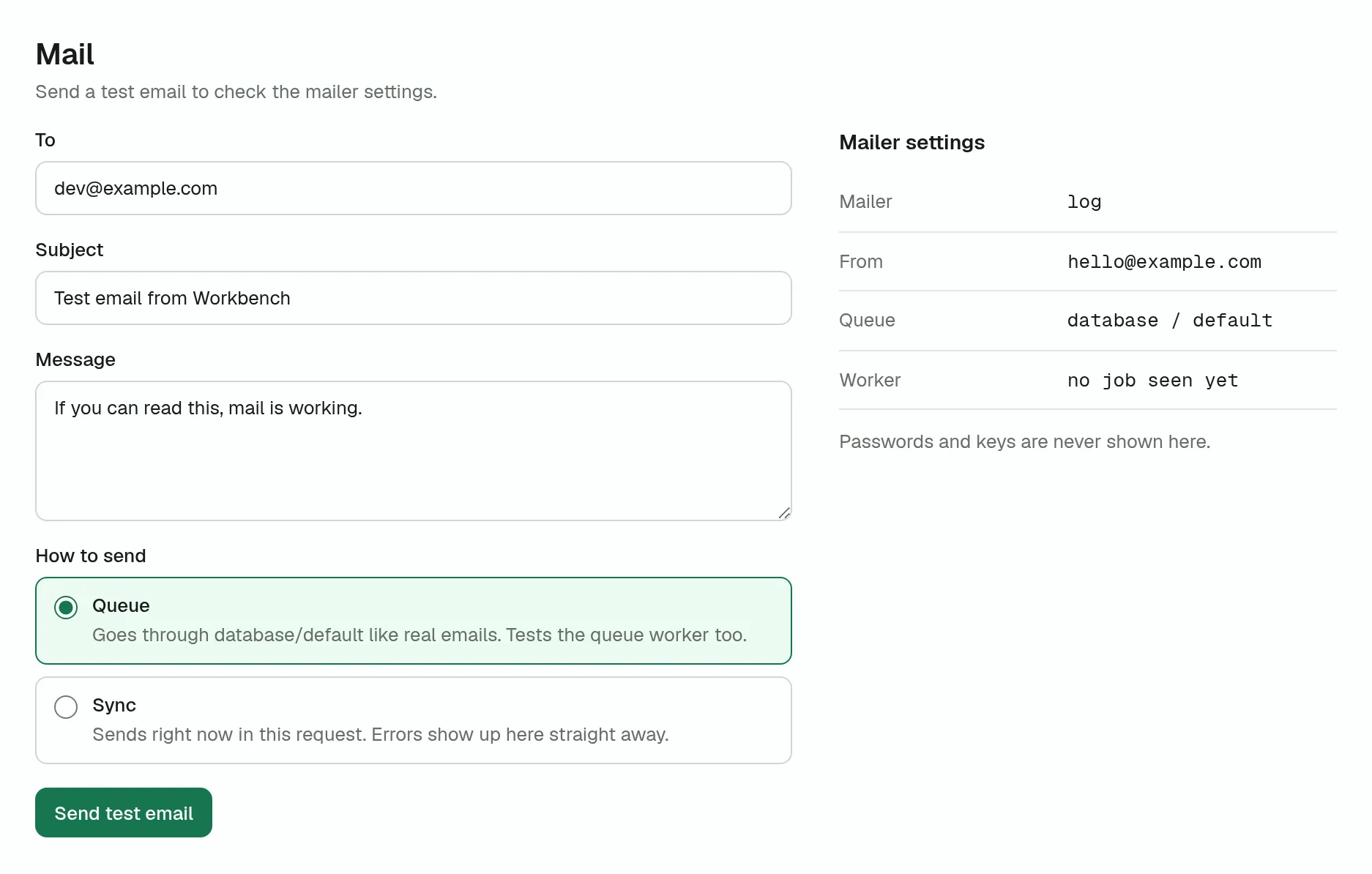
Sending a test email
Fill in To, Subject, and Message, then pick how to send it:
- Queue: goes through the queue like real emails. Tests the queue worker too.
- Sync: sent right now in this request. Errors show up on the page straight away.
Press Send test email. If the mailer refuses, its error is shown with passwords and tokens hidden.
If your mailer is log or array, nothing is actually delivered. The page tells you so.
Every send is written to the audit log.
Mailer settings
Next to the form are the mailer, host, port, From address, the queue in use, and when the worker last finished a job. Passwords and keys are never shown.
Locking the recipient
So test emails don't go to just any address, lock the recipient:
DEBUGGER_MAIL_TO=dev@yourapp.comEvery test email goes to this address, whatever is typed in the form. The form says so.
Read-only mode
The Send test email button is turned off. The mailer settings stay visible.
Limits
- Through the Queue, "sent" means the email is on the queue. If it doesn't arrive within a minute, look for a failed job in Queue.
- The debugger can't tell whether an email actually reached the inbox.