
Modules
Logs
The Logs page reads log files in storage/logs straight from disk, without loading a whole file into memory. Files of hundreds of MB still open.
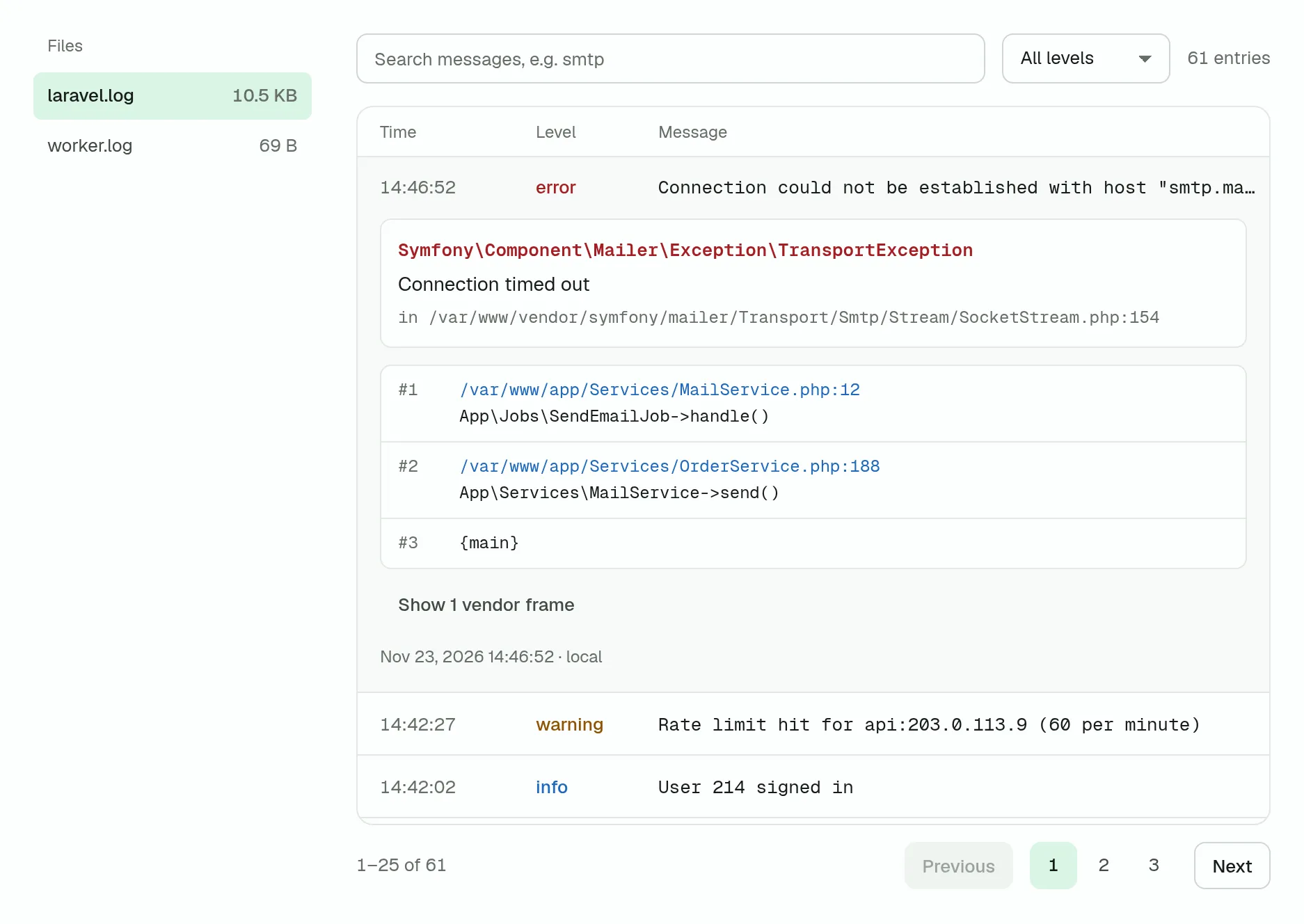
What it shows
- The log files on the left, the most recently changed on top, with their size.
- The newest log entries on top, with time, level, and message. The page fills the screen: only the entry list scrolls, and the pagination stays in view.
- The total number of entries, and the count per level in the level filter.
Click an entry to open it. For an exception, you see the class, message, file and line, then the stack trace. Frames from vendor/ are folded away at first and open with the "Show … vendor frames" button. JSON context is shown neatly formatted.
Filter and search
- Level filter: emergency, alert, critical, error, warning, notice, info, debug.
- Search looks in the message and body of each entry, ignoring case.
Related config
logs.paths: which files are read, relative tostorage/logs. The default is['*.log', '**/*.log'].logs.per_page: entries per page. The default is25.
How it works
The first time a file is opened, the debugger builds a small index of where each entry starts and its level. After that, only the part that was appended is read. The index lives in storage/framework/cache/debugger-logs and is rebuilt on its own when the file is rotated or emptied.
The next and previous pages are fetched ahead in the background, so Next and Previous feel instant.
Read-only mode
Logs only reads, so nothing changes in read-only mode.
Limits
- Only Laravel's own log format (
[2026-11-23 10:00:00] production.ERROR: ...) is recognised. Other lines count as part of the entry before them. - Search has to read the whole file. On a large file, the first search takes a while. The results are kept for 2 minutes, so moving between pages of the same search stays fast.
- There is no action to delete or empty a log file.