
Modules
Queue
The Queue page shows failed jobs from Laravel's own failer (queue.failed in config/queue.php). Every failed job driver works: database, database-uuids, file, and dynamodb.
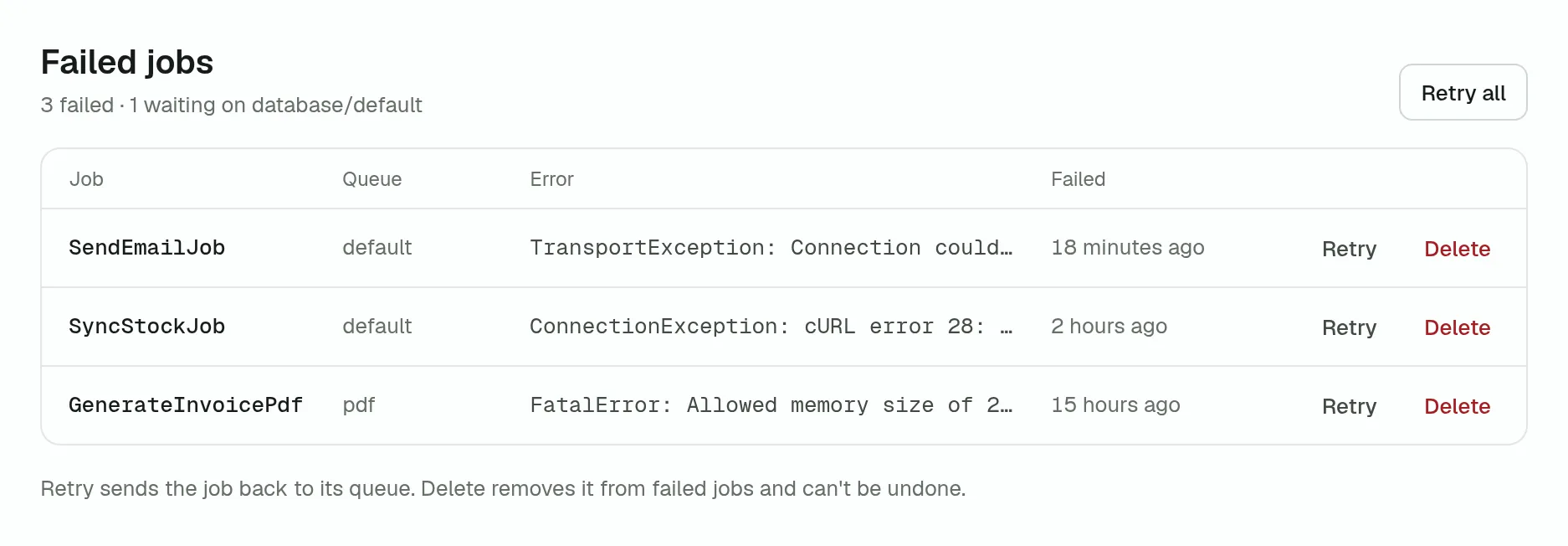
What it shows
- The number of failed jobs, and the number of jobs waiting when the default queue connection uses the database driver.
- One row per job: job name, queue, the first line of the exception, and when it failed. Newest on top, 25 per page.
- Click a row to see the full class, attempt, connection, id, and the whole exception.
Actions
- Retry: sends the job back to its queue to run again. The same as
queue:retry. - Delete: removes the job from failed jobs. This can't be undone.
- Retry all: sends every failed job back. It asks you to confirm first.
Every action is written to the audit log.
Read-only mode
Retry, Delete, and Retry all are turned off. The list and details stay readable.
Limits
- To show a page, every failed job is read first and then sorted. If you have thousands of failed jobs, this page gets slower.
- Retry only puts the job back on the queue. Make sure a queue worker is running so the job actually runs.